Setting up a digital substation means getting dozens of IEDs to talk to each other. Without a shared configuration file, engineers must manually map data models between vendors. The SCD file solves this by defining a common data model that every device follows.
An SCD (Substation Configuration Description) file is the master configuration file for an IEC 61850 digital substation. It describes every intelligent electronic device (IED), its logical nodes, data attributes, and how devices communicate over the station bus and process bus. The SCD file is created during system integration and serves as the single source of truth for the whole substation.
The SCD file removes the translation work that older protocols required. Here is what it does and how to work with it.

Why the SCD File Matters in Digital Substations
Solving Multi-Vendor Interoperability
Devices from different brands follow the same naming rules for logical nodes, datasets, and control blocks. A protection relay from one manufacturer can send a trip signal to a breaker controller from another, because both read their roles from the same SCD file. To understand how this works, the SCD file uses SCL (Substation Configuration Language), the XML-based grammar defined in IEC 61850-6 that all IEC 61850 configuration files follow.
Acting as the Single Source of Truth
Once the file is complete, it becomes the master reference. Test equipment uses it to verify connections. Years later, during retrofit projects, engineers return to the original SCD file to see how the substation was configured. This can save weeks of reverse engineering.
SCD File Structure and Related Configuration Files
The SCD file is built from five XML sections. It also belongs to a family of IEC 61850 configuration files that serve different roles.
The Five XML Sections of an SCD File
The Header stores version history and a unique identifier. The Substation section describes the physical layout: voltage levels, bays, breakers, and disconnectors. The IED section lists every intelligent device and its logical nodes. The Communication section defines the network, including IP addresses and VLAN tags. The DataTypeTemplates section provides type definitions that act as a shared dictionary for the whole substation.
A common problem arises when the ICD file uses different template definitions than the SCD expects. The IED may reject the configuration when this happens, so template alignment is critical during integration.
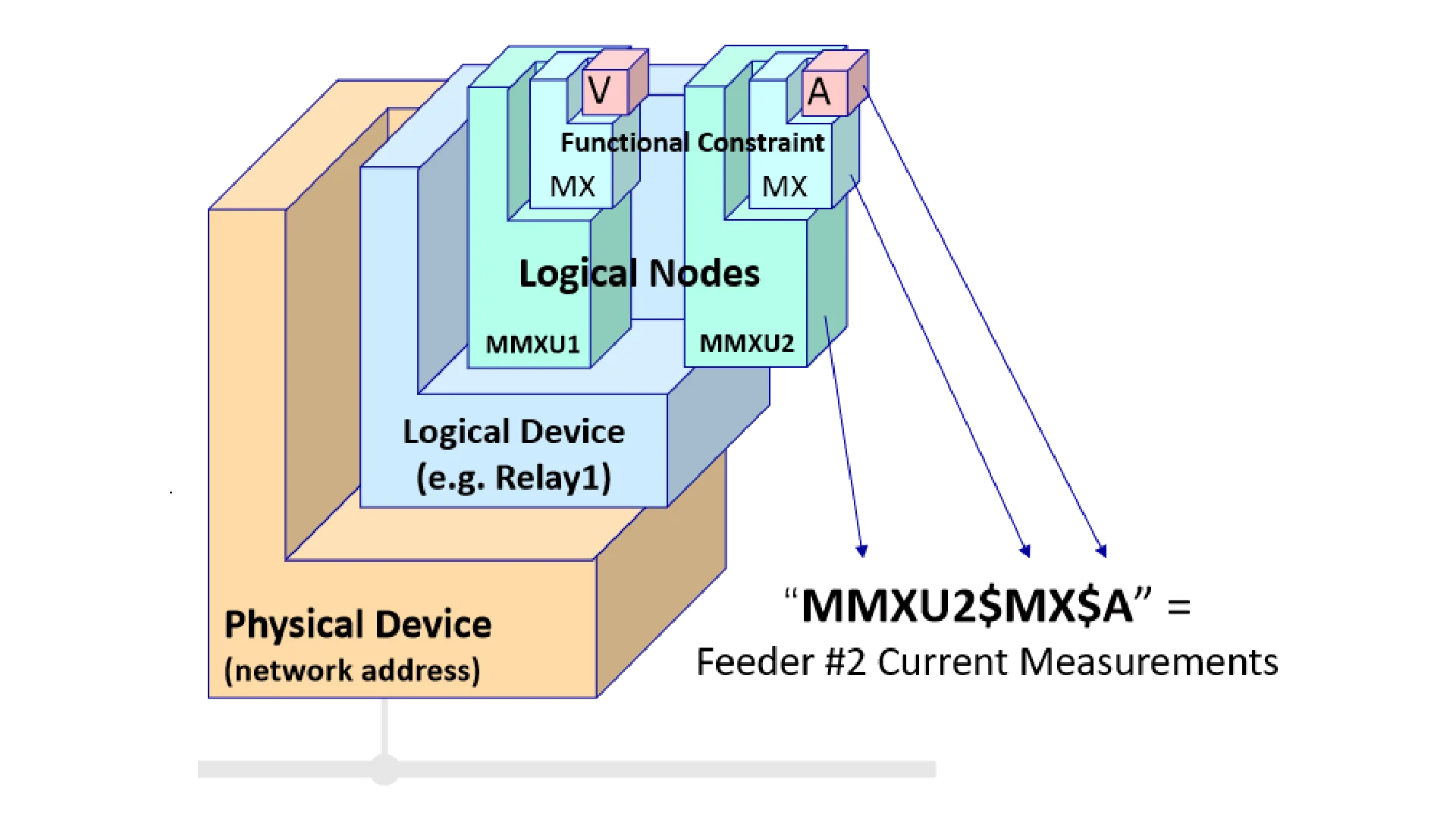
How ICD, SSD, and CID Differ from SCD
The ICD file comes from the device manufacturer and describes what a model can do without any substation-specific information. Engineers use it during bidding to check compatibility. The SSD file is the functional blueprint created during design, defining topology and required logical nodes without assigning specific devices. The CID file is a slice of the SCD for one device, loaded directly into relays or merging units on site.
Working with SCD Files Across the Substation Lifecycle
The SCD file touches every phase of a substation project, from initial design through long-term maintenance.
Design, Integration, and Configuration
It starts with the SSD during design. Vendors submit ICD files for review. The integrator merges everything into the SCD, assigning addresses and configuring GOOSE subscriptions. A common pain point is handling ICD files from different IEC 61850 editions, which can cause the configurator to reject the mix.
Commissioning and Field Deployment
On site, engineers load CID files into devices and run tests. The SCD helps verify that GOOSE messages reach the right subscribers and sampled value streams are mapped correctly. A mismatch here can cause silent failures that are hard to find later.
IEC 61850 Edition Compatibility
Edition 1.0 focused on substation internal communication. During real projects, engineers found hundreds of issues called Tissues, which are technical problem reports logged in the official IEC 61850 maintenance database. Edition 2.0 fixed these and expanded to cover wind, solar, and battery storage. Edition 2.1 added cybersecurity features from IEC 62351. SCD files from Edition 1.0 are not directly compatible with Edition 2.0 tools, so always check the edition before starting a project.
Testing IEC 61850 Systems with an SCD File
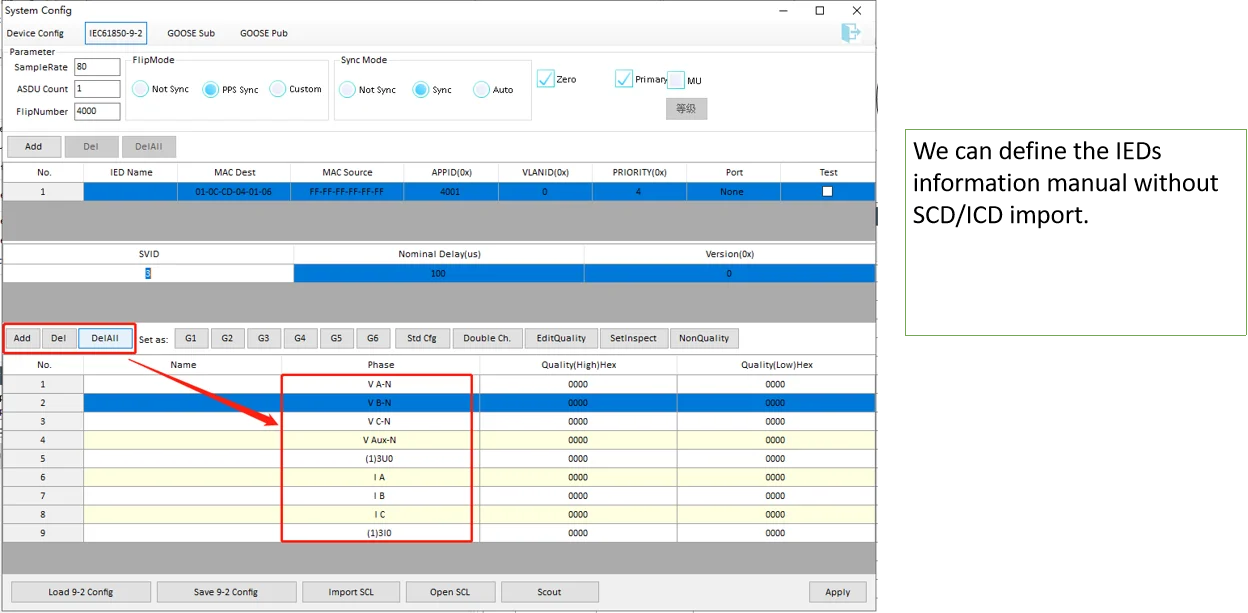
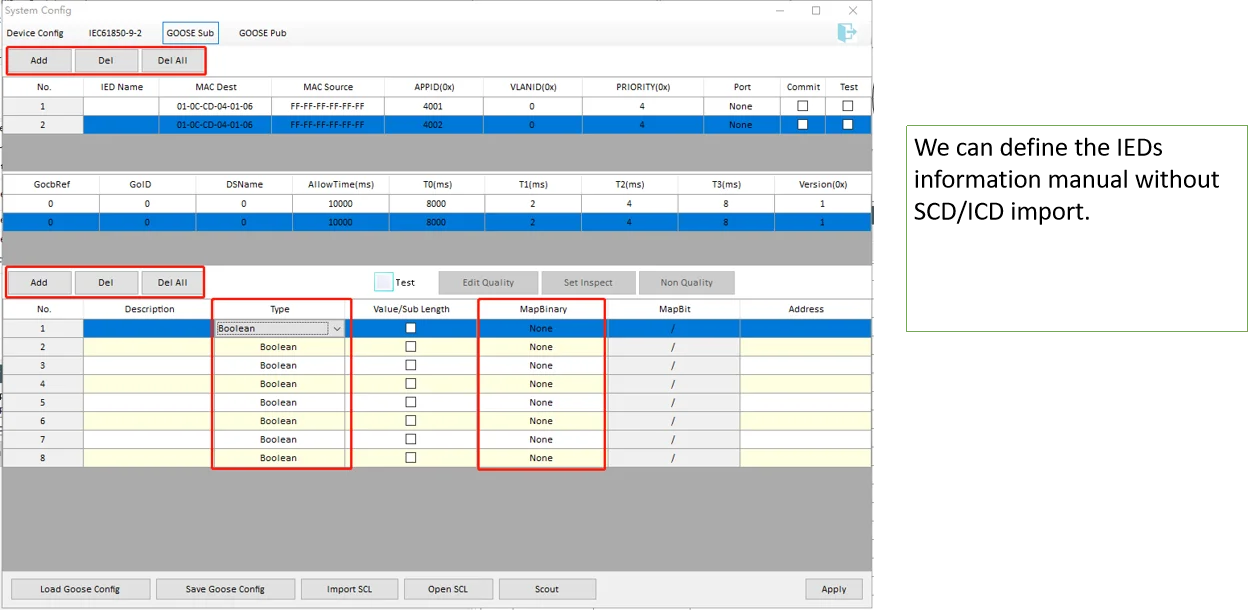
Testing an IEC 61850 system without the SCD file means entering every GOOSE subscription and sampled value channel by hand. That is slow and error-prone. A better approach is to load the SCD file directly into the test platform.
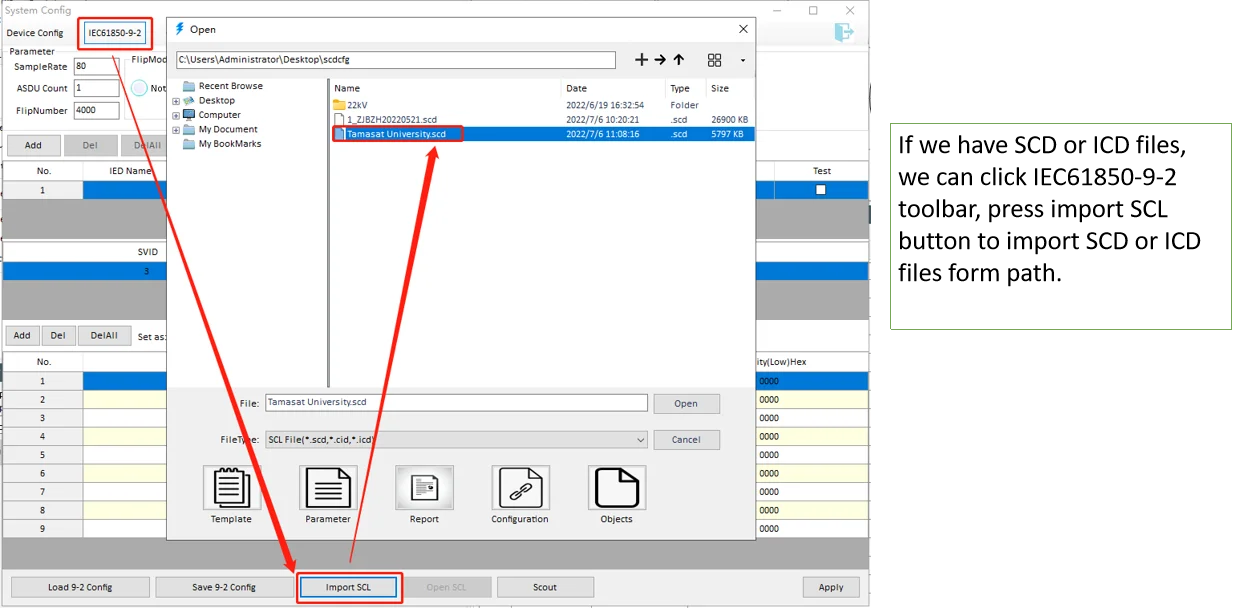
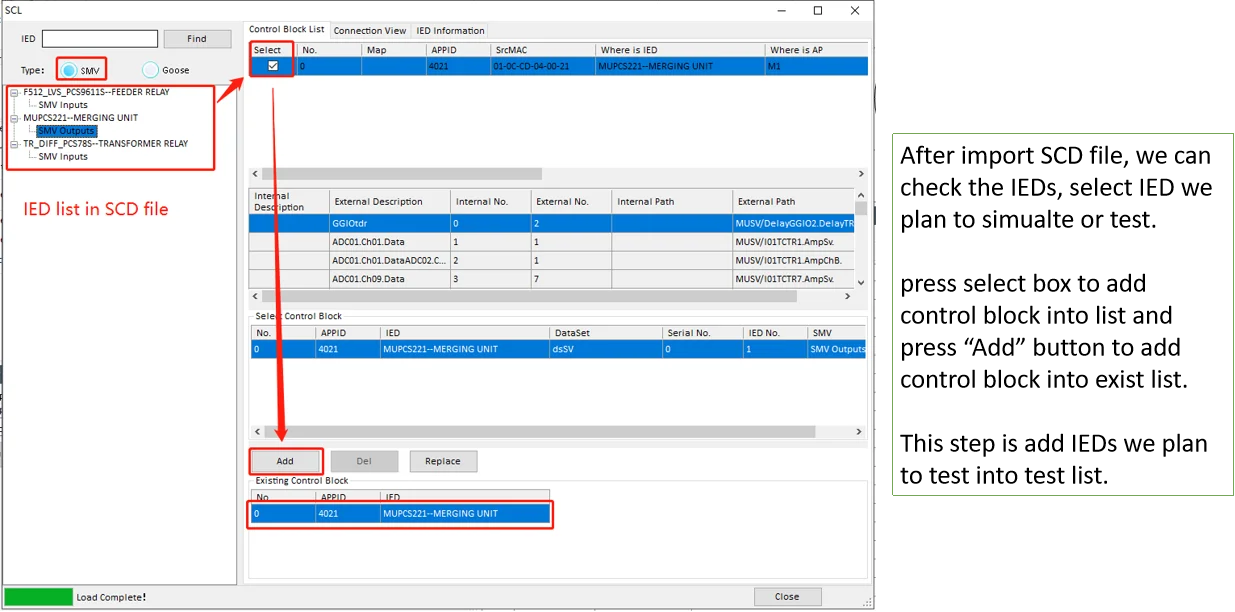
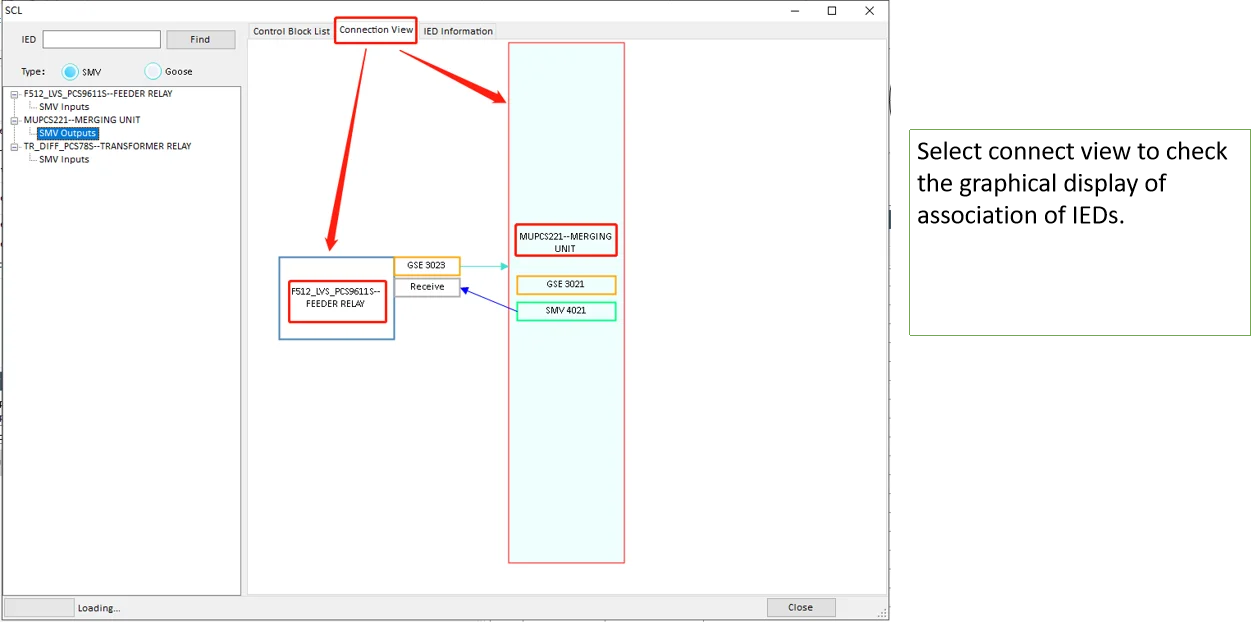
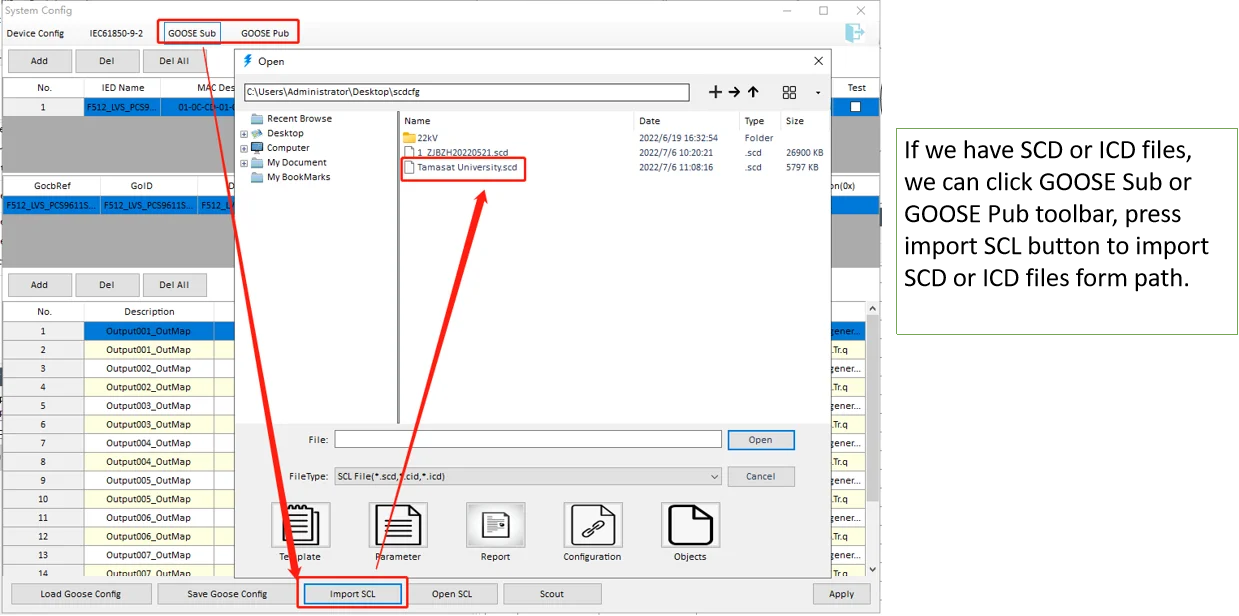
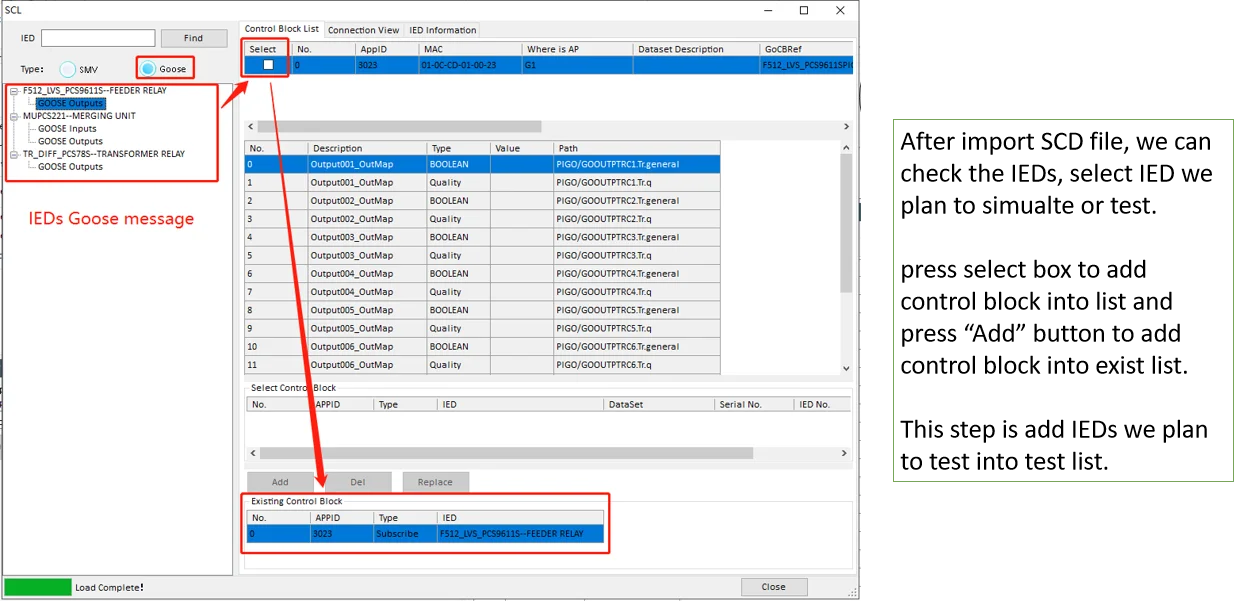
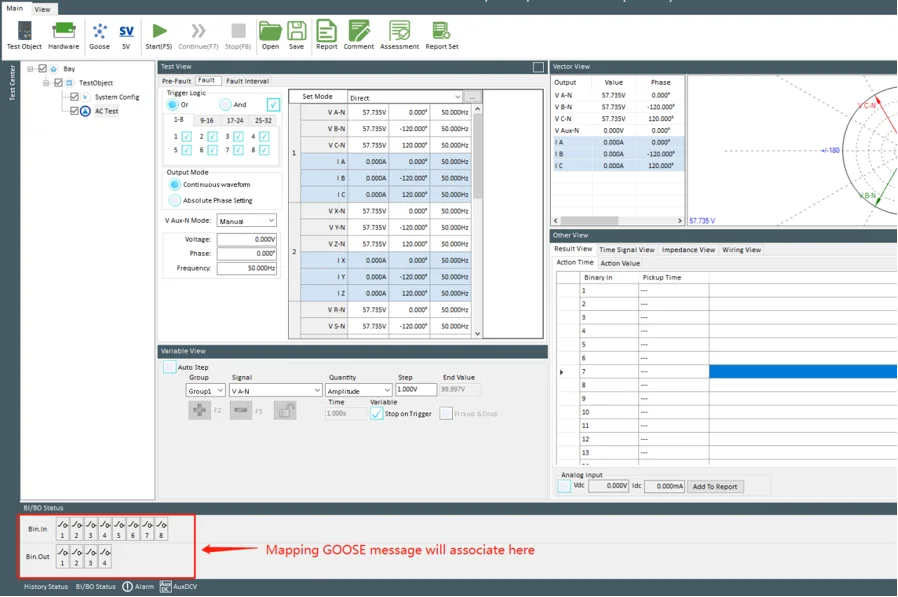
The test tool parses the SCD to extract every IED, its logical nodes, datasets, and control blocks. It builds a map of who publishes what and who subscribes to it. Select the device under test, and the tool automatically configures the GOOSE and SV channels needed.
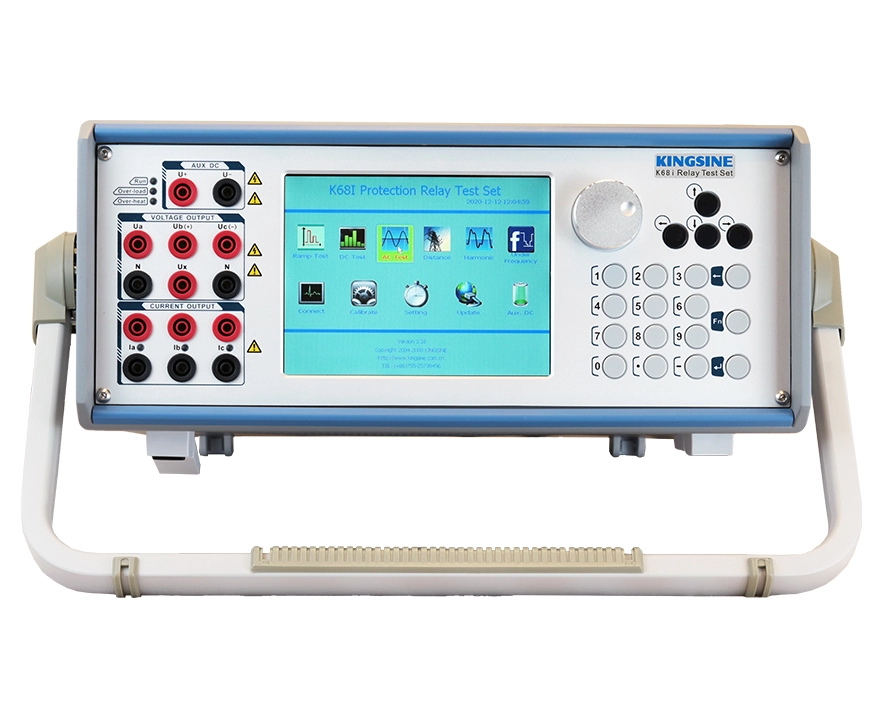
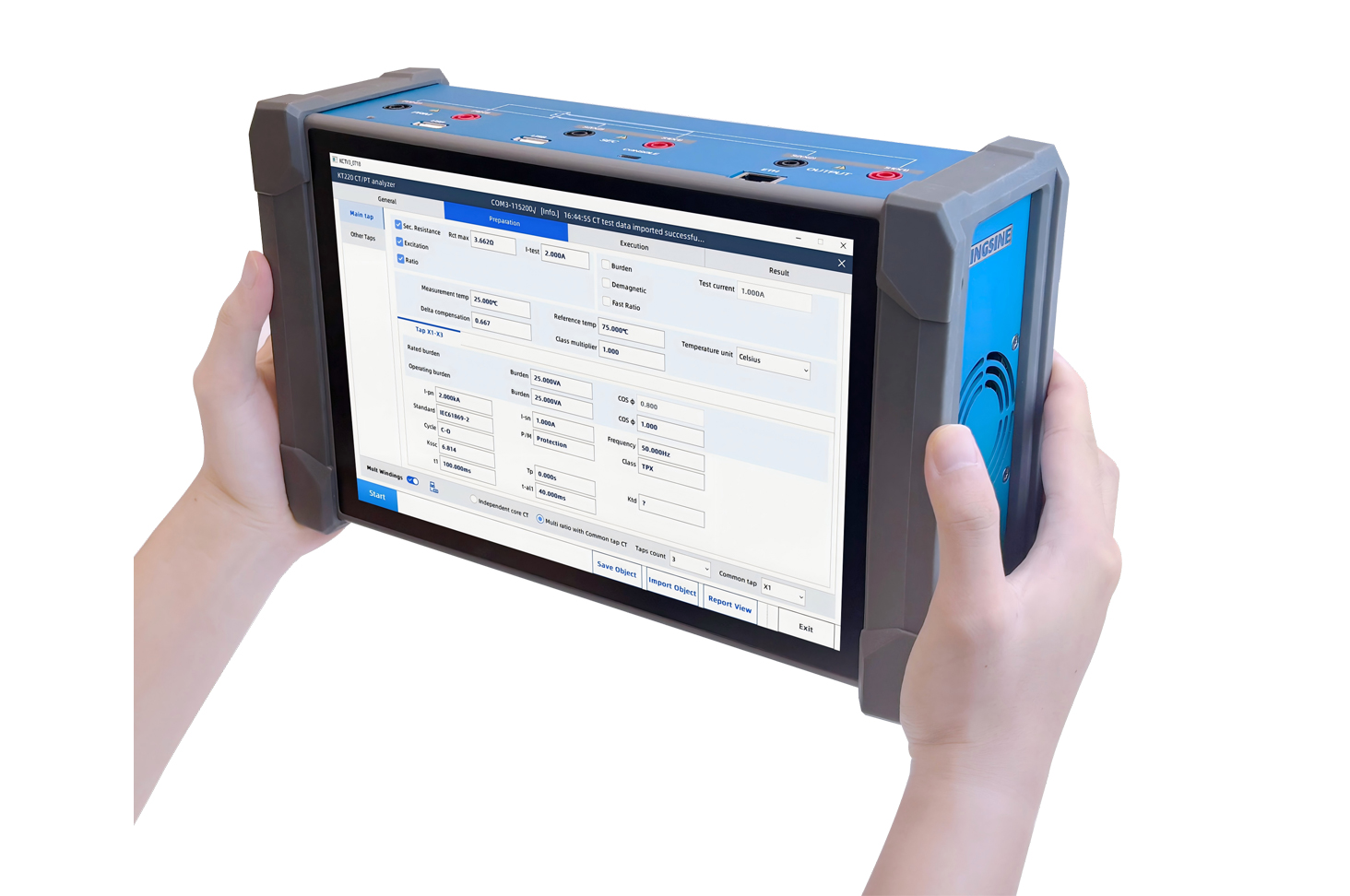
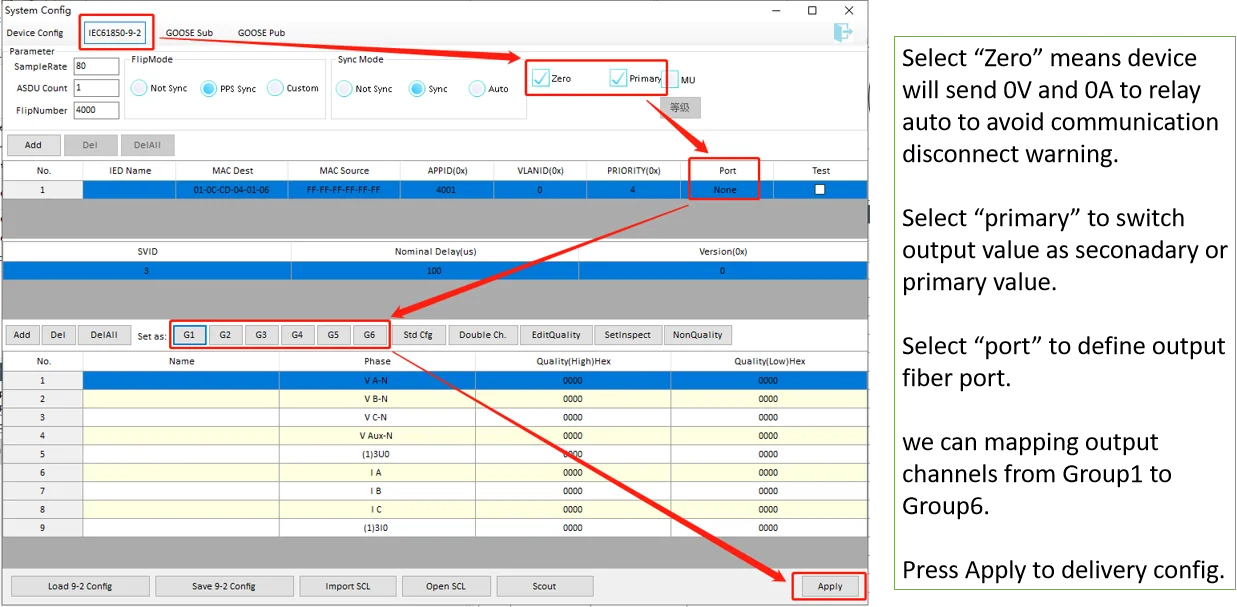
For process bus applications, the test setup must also handle time synchronization. Merging units output sampled values at fixed rates such as 80 or 256 samples per cycle. The test tool must match these rates and align the output phase. Platforms like the KINGSINE KFA320 and KF86P handle this by importing the SCD file directly, extracting the SV configuration, and generating simultaneous three-phase signals with the correct timing.
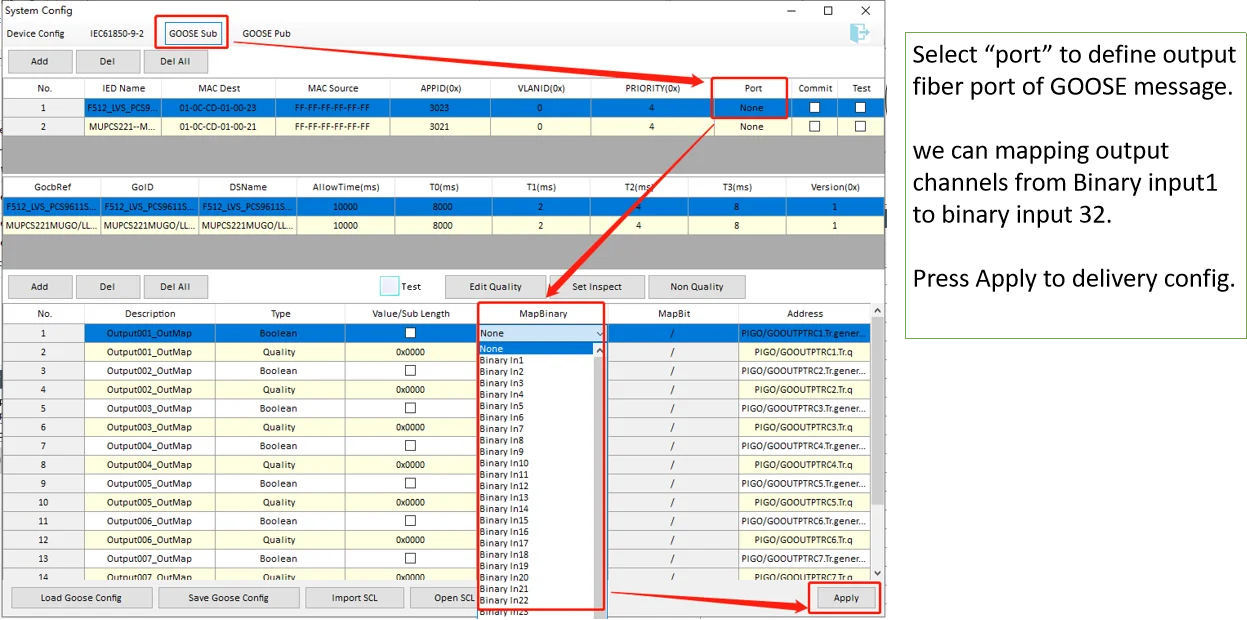
The workflow runs as follows: import the SCD file, select the target IED, verify the GOOSE subscription list against the SCD definitions, configure the test quantities, and execute. Any mismatch between the SCD and the device response shows up immediately, catching configuration errors in the lab rather than during commissioning.
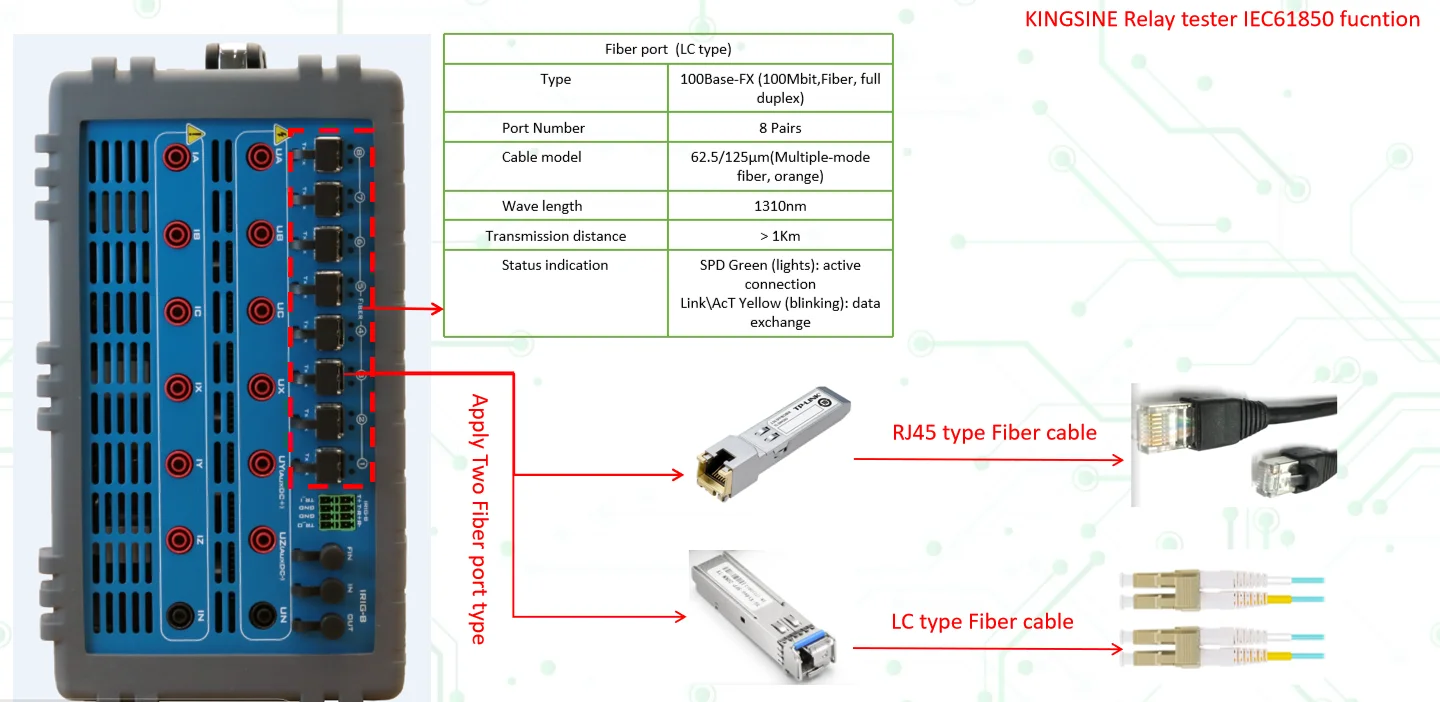
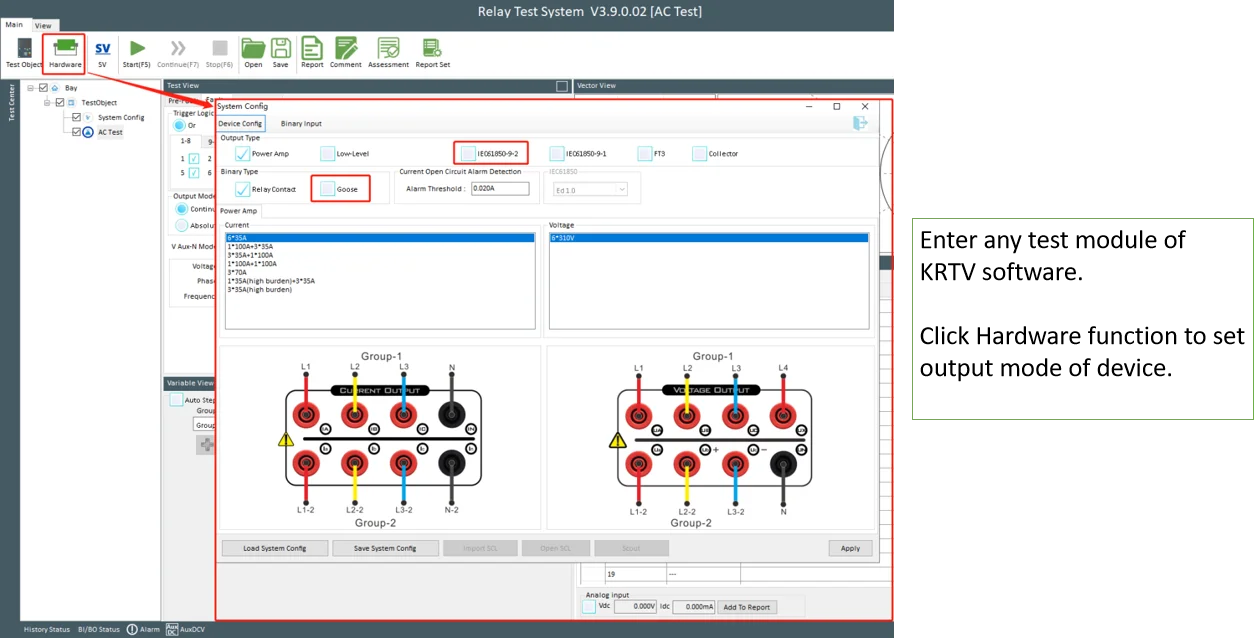
.webp "图片_2_(2).webp")
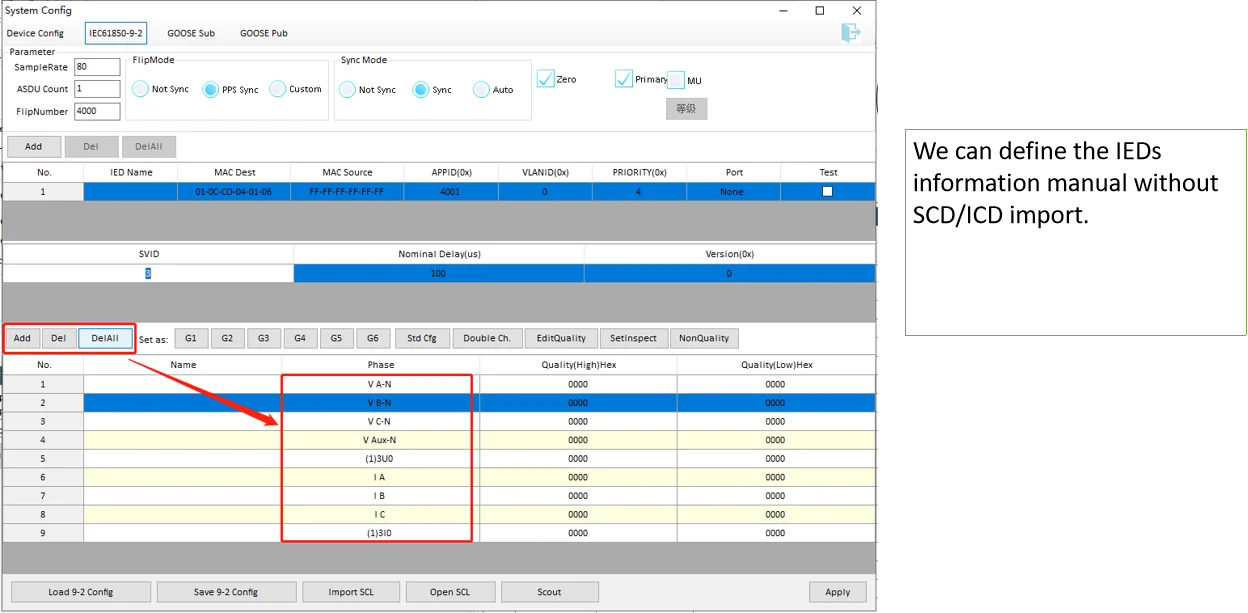
FAQs
What is the difference between an SCD file and a CID file?
An SCD file covers the entire substation. A CID file covers only one device and is extracted from the SCD during integration.
Can I open an SCD file in a text editor?
Yes, SCD files are XML documents. Any text editor can open them, but dedicated SCL tools are better for browsing the structure.
Why does my SCD file not work with a newer IED?
The most likely cause is an edition mismatch. If the SCD follows Edition 1.0 and the IED expects Edition 2.0, the device may reject the configuration. Check the edition in the Header section of the SCD file.
If you'd like to dive deeper into the practical use cases of SCD files, check out this article: SCD File Visualization and Applications.
 English
  日本語
日本語  français
  Deutsch
  Español
  italiano
  русский
  português
  العربية
  Polska